

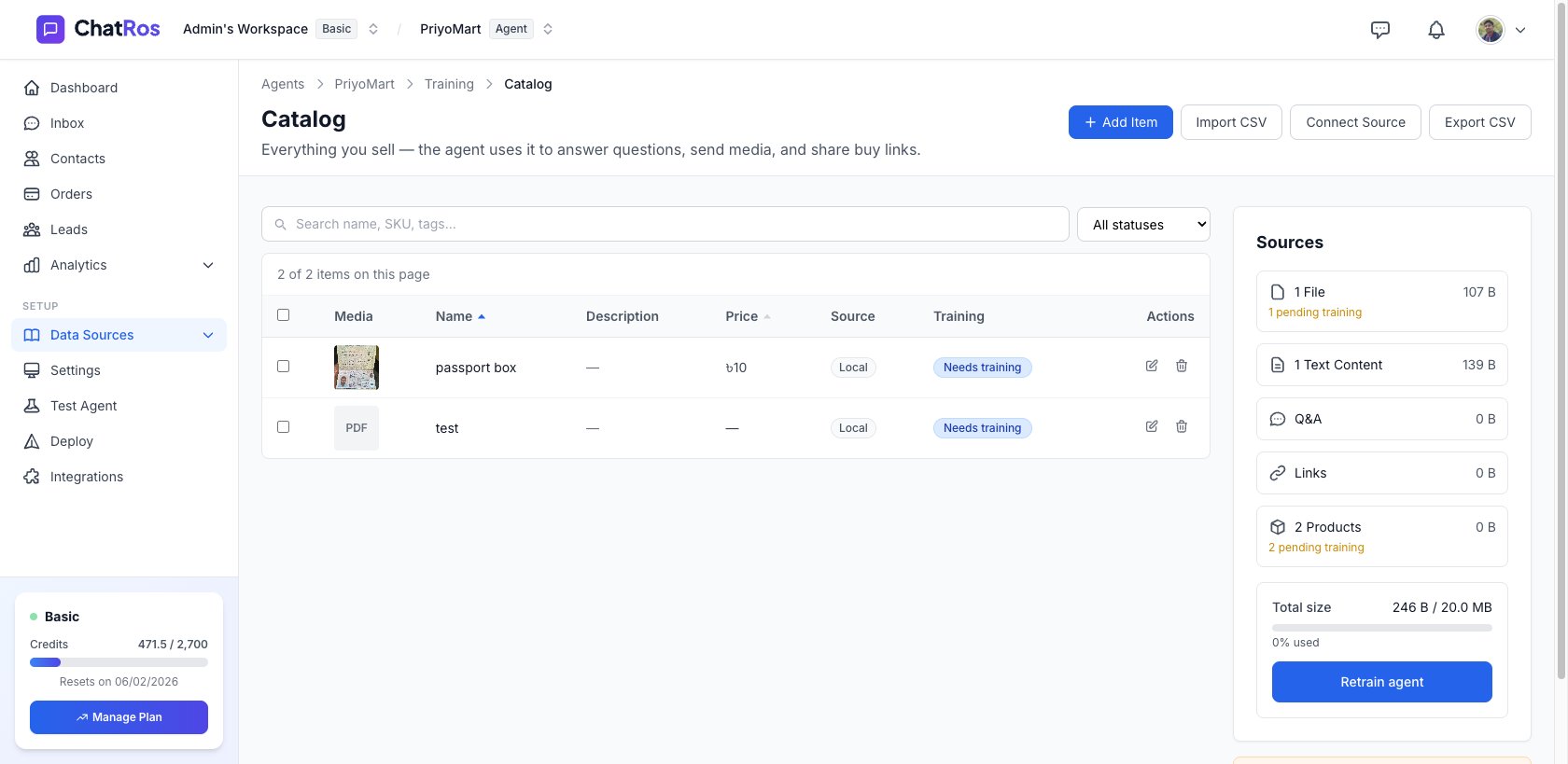
The Catalog page — your products, training status, and sources.
Why use a catalog?
A catalog is more precise than plain text sources. Each product is a structured record — name, price, SKU, tags, images, and variants — so the agent gives accurate answers instead of paraphrasing a web page.Add products & variants
Add items by hand, including sizes, colors, and per‑variant prices and SKUs.
Import in bulk
Import from a CSV, or sync live from Shopify, WooCommerce, Medusa, or Google Sheets.
Image product search
Let customers send a photo and have the agent find the matching product.
Deploy everywhere
Your catalog powers answers on every connected channel.
How it fits together
1
Build your catalog
Add products manually, import a CSV, or connect a store/spreadsheet source.
2
Train the agent on it
Each product is trained so the agent can retrieve it. The Catalog page shows a Training status per product.
3
Keep it in sync
Use Sync to pull the latest products from your connected sources whenever your store changes.
The Catalog toolbar
At the top of the Catalog page you’ll find:- Add Item — create a single product by hand.
- Import CSV — bulk‑import from a spreadsheet file.
- Connect Source — connect a store or spreadsheet. Once a source is connected, this button becomes Sync, which pulls the latest from every connected source (store first, then spreadsheet).
- Export CSV — download your current catalog.
Add your first product
Start building your catalog one product at a time.